ThumbCrafted

Tutorial YouTube thumbnail templates

People searching for a tutorial already know their problem. The thumbnail has one job: show that this video solves it, quickly and clearly. That usually means showing the result, the steps, or the one setting that fixes everything, rather than a dramatic face.

The tutorial templates below are built around clarity. There is a three-step layout, a wrong and right comparison, a screenshot layout with a ring around the important control, and a big number for videos that promise a short list.

8 templates, each measured. We drew every one at 1280 by 720 with its photo slots empty and ran the five checks from Thumbnail Autopsy on it, in all 10 colourways. Each card shows the colourway that measured best; 3 of the 8 pass all five checks in it. Measured on 2026-10-29. How we measure.

Tutorial templates

Tutorial YouTube thumbnail template: Face Right layout in the Hot Sauce colourway, sample words "EASY FIX In five minutes", with 1 empty photo slot (Your face)

Face Right

Autopsy: 5 of 5 checks pass

  • PassFeed size: edge energy 17.3 at 168 by 94 (7 or above)
  • PassContrast: luminance spread 25.3/100 (22 or above)
  • PassLength badge corner: 0.18× the average detail (1.1 or below)
  • PassEdges: 0.20× the average detail (0.9 or below)
  • PassClipped tones: 2.4% dark, 5.3% light (under 8% each)

Measured with the photo slots empty. Shown in Hot Sauce, the colourway that measured best. All five checks pass in 8 of 10 colourways.

Open in the editor
Tutorial YouTube thumbnail template: Then and Now layout in the Dusk colourway, sample words "WRONG RIGHT", with 2 empty photo slots (Before, After)

Then and Now

Autopsy: 4 of 5 checks pass. Look at: contrast

  • PassFeed size: edge energy 16.6 at 168 by 94 (7 or above)
  • LookContrast: luminance spread 19.8/100 (22 or above)
  • PassLength badge corner: 0.66× the average detail (1.1 or below)
  • PassEdges: 0.53× the average detail (0.9 or below)
  • PassClipped tones: 0.6% dark, 1.3% light (under 8% each)

Measured with the photo slots empty. Shown in Dusk, the colourway that measured best. None of the 10 colourways passes all five with the slots empty, so your photo decides the rest.

Open in the editor
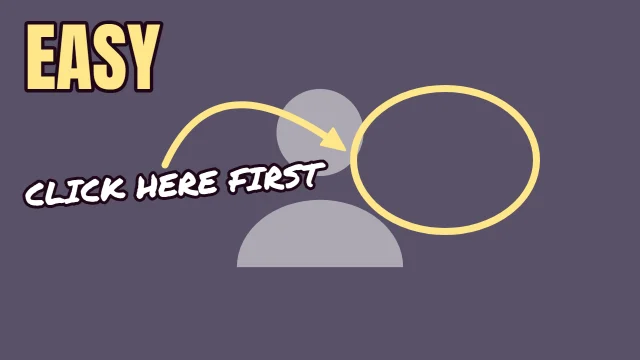
Tutorial YouTube thumbnail template: Spot It layout in the Dusk colourway, sample words "CLICK HERE FIRST EASY", with 1 empty photo slot (Your screenshot)

Spot It

Autopsy: 4 of 5 checks pass. Look at: contrast

  • PassFeed size: edge energy 18.8 at 168 by 94 (7 or above)
  • LookContrast: luminance spread 16.5/100 (22 or above)
  • PassLength badge corner: 0.00× the average detail (1.1 or below)
  • PassEdges: 0.04× the average detail (0.9 or below)
  • PassClipped tones: 0.0% dark, 1.3% light (under 8% each)

Measured with the photo slots empty. Shown in Dusk, the colourway that measured best. None of the 10 colourways passes all five with the slots empty, so your photo decides the rest.

Open in the editor
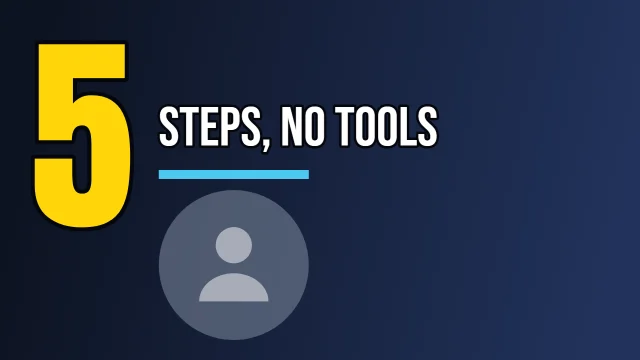
Tutorial YouTube thumbnail template: Big Number layout in the Night Shift colourway, sample words "5 STEPS, NO TOOLS", with 1 empty photo slot (Your face)

Big Number

Autopsy: 4 of 5 checks pass. Look at: contrast

  • PassFeed size: edge energy 16.6 at 168 by 94 (7 or above)
  • LookContrast: luminance spread 21.1/100 (22 or above)
  • PassLength badge corner: 0.30× the average detail (1.1 or below)
  • PassEdges: 0.37× the average detail (0.9 or below)
  • PassClipped tones: 2.9% dark, 2.0% light (under 8% each)

Measured with the photo slots empty. Shown in Night Shift, the colourway that measured best. None of the 10 colourways passes all five with the slots empty, so your photo decides the rest.

Open in the editor
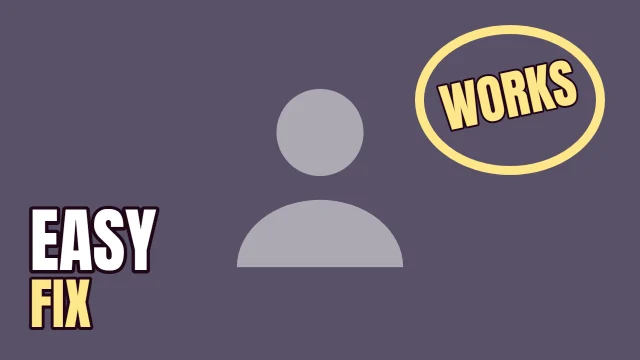
Tutorial YouTube thumbnail template: Stamped layout in the Dusk colourway, sample words "WORKS EASY FIX", with 1 empty photo slot (Your photo)

Stamped

Autopsy: 4 of 5 checks pass. Look at: contrast

  • PassFeed size: edge energy 16.2 at 168 by 94 (7 or above)
  • LookContrast: luminance spread 17.2/100 (22 or above)
  • PassLength badge corner: 0.00× the average detail (1.1 or below)
  • PassEdges: 0.00× the average detail (0.9 or below)
  • PassClipped tones: 0.0% dark, 2.0% light (under 8% each)

Measured with the photo slots empty. Shown in Dusk, the colourway that measured best. None of the 10 colourways passes all five with the slots empty, so your photo decides the rest.

Open in the editor
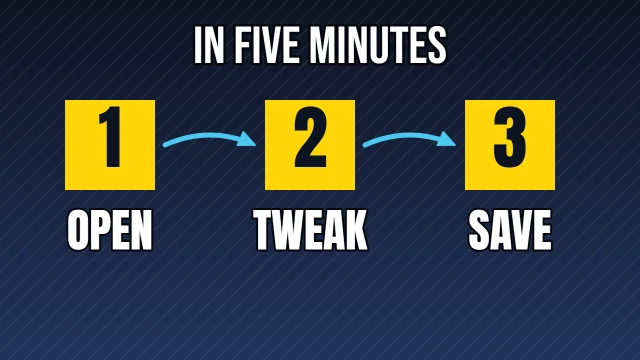
Tutorial YouTube thumbnail template: Three Steps layout in the Night Shift colourway, sample words "IN FIVE MINUTES 1 OPEN 2 TWEAK 3 SAVE"

Three Steps

Autopsy: 5 of 5 checks pass

  • PassFeed size: edge energy 33.2 at 168 by 94 (7 or above)
  • PassContrast: luminance spread 26.7/100 (22 or above)
  • PassLength badge corner: 0.46× the average detail (1.1 or below)
  • PassEdges: 0.47× the average detail (0.9 or below)
  • PassClipped tones: 2.9% dark, 4.9% light (under 8% each)

Measured with the photo slots empty. Shown in Night Shift, the colourway that measured best. All five checks pass in 8 of 10 colourways.

Open in the editor
Tutorial YouTube thumbnail template: Top Bar layout in the Newsprint colourway, sample words "EASY FIX", with 1 empty photo slot (Your photo)

Top Bar

Autopsy: 5 of 5 checks pass

  • PassFeed size: edge energy 8.8 at 168 by 94 (7 or above)
  • PassContrast: luminance spread 29.0/100 (22 or above)
  • PassLength badge corner: 0.00× the average detail (1.1 or below)
  • PassEdges: 0.16× the average detail (0.9 or below)
  • PassClipped tones: 0.0% dark, 0.0% light (under 8% each)

Measured with the photo slots empty. Shown in Newsprint, the colourway that measured best. All five checks pass in 4 of 10 colourways.

Open in the editor
Tutorial YouTube thumbnail template: Marker Note layout in the Dusk colourway, sample words "click here first EASY", with 1 empty photo slot (Your photo)

Marker Note

Autopsy: 4 of 5 checks pass. Look at: contrast

  • PassFeed size: edge energy 15.7 at 168 by 94 (7 or above)
  • LookContrast: luminance spread 15.4/100 (22 or above)
  • PassLength badge corner: 0.00× the average detail (1.1 or below)
  • PassEdges: 0.00× the average detail (0.9 or below)
  • PassClipped tones: 0.0% dark, 1.7% light (under 8% each)

Measured with the photo slots empty. Shown in Dusk, the colourway that measured best. None of the 10 colourways passes all five with the slots empty, so your photo decides the rest.

Open in the editor

What works in tutorial thumbnails

Show the fix, not the problem

A finished result is more convincing than a picture of the error. Stamped puts a stamp word like "WORKS" on top of your result photo, which reads as a promise kept.

Circle the one control that matters

For software tutorials, a screenshot with one ring is clearer than a screenshot with five arrows. Spot It sets a ring and a curved arrow on a full-frame screenshot, plus a short handwritten note.

Number the steps only if there are few

Three Steps shows three numbered boxes with a word under each. If your process has twelve steps, use Big Number instead and print the count, so the viewer knows how long it will take.

Use wrong and right for common mistakes

Then and Now labelled "WRONG" and "RIGHT" is one of the fastest ways to say "you are probably doing this". Keep the two photos as similar as possible apart from the mistake.

Zoom into the screenshot

A full desktop screenshot is unreadable at 168 by 94. Crop to the window or the panel the viewer will need, then let the slot fill with it.

Before you upload

The numbers on this page describe each template as it opens. Once your photo and words are in, run the finished thumbnail through Thumbnail Autopsy for the same five checks on your real design, and look at it next to other videos with the YouTube thumbnail preview.

Frequently asked questions

What should a tutorial thumbnail show?▼
The result, the steps, or the exact place on screen where the fix happens. Pick the one that matches what people searched for, and keep the words to the outcome, like "EASY FIX".
Are numbers good on tutorial thumbnails?▼
A small number tells the viewer the video is short and structured, which suits tutorials. Big Number sets the number very large with a short line beside it.
Should I put my face on a tutorial thumbnail?▼
It is optional. Face Right and Big Number include a face slot for channels where the presenter matters; Three Steps and Spot It work without one.
Do the measured results still hold after I add my screenshot?▼
They were measured with the slots empty. Screenshots are often bright and busy, which can lower the contrast or raise the clipped-white share, so check the finished thumbnail in Thumbnail Autopsy.
Templates for other genres

TechFinanceCookingGamingVlogReactionPodcastFitnessTravelAll genres